
Lowe D. Networking For Dummies
Подождите немного. Документ загружается.


Book IX
Chapter 8
Running FTP
757
Configuring FTP
If you disable anonymous access, your users will have to have a Linux
account on the server to access the FTP site. By default, each user will
be directed to his or her home directory.
✦ Allowing local users: By default, local users are allowed to access the
FTP site. To prevent local users from accessing the FTP site, change the
local_enable line to:
local_enable=NO
Note that you may want to disable anonymous users or local users, but
you shouldn’t disable both!
✦ Creating a read-only FTP site: If you want to make your FTP site read-
only, so that users can download files but not upload, change the
write_enable line to:
write_enable=NO
✦ Customizing the welcome banner: You can customize the welcome
banner by uncommenting the ftpd_banner line and adding your
banner. For example:
Ftpd_banner=Welcome to my FTP site!
70_625873-bk09ch08.indd 75770_625873-bk09ch08.indd 757 9/21/10 10:48 PM9/21/10 10:48 PM

758
Book IX: Managing Linux Systems
70_625873-bk09ch08.indd 75870_625873-bk09ch08.indd 758 9/21/10 10:48 PM9/21/10 10:48 PM

Chapter 9: Linux Commands
In This Chapter
✓ Discovering the basics of command shells
✓ Identifying file and directory commands
✓ Discovering commands that help with packages and services
✓ Figuring out commands for managing users and groups
✓ Becoming familiar with networking commands
L
inux has several nice graphical user interfaces to choose from, and
many of the more common Linux networking functions have graphical
configuration utilities. Still, many Linux configuration tasks can be done only
from a command shell. In many cases, the configuration utility provides
access only to the most basic configuration parameters. So if you want to
configure advanced features, you have to use commands. In fact, some net-
work features don’t have a graphical configuration utility, so you have no
choice but to use commands.
Even when GNOME-based alternatives are available, you’ll often resort to
using commands because, frankly, that’s what Linux was built to do. Unlike
Windows, Linux relies on commands as its primary means of getting things
done. So if you’re going to work with Linux, knowing the basic commands
presented in this chapter is a must.
Command Shell Basics
A shell is a program that accepts commands from a command prompt and
executes them. The shell displays a prompt to let you know it’s waiting for a
command. When you type the command and press the Enter key, the system
reads your command, interprets it, executes it, displays the results, and then
displays the prompt again so that you can enter another command.
71_625873-bk09ch09.indd 75971_625873-bk09ch09.indd 759 9/21/10 10:48 PM9/21/10 10:48 PM
760
Command Shell Basics
Getting to a shell
You can work with Linux commands directly from one of the six virtual con-
soles. If you like the responsiveness of text mode, virtual consoles are for
you. To switch to a virtual console, press Ctrl+Alt+Fx. For example, press
Ctrl+Alt+F1 to switch to virtual console 1. When you’re in a virtual console,
you have to answer the logon prompt with a valid username and password.
To return to GNOME, press Ctrl+Alt+F7.
The alternative is to work in a terminal window within the GNOME environ-
ment. If you have an older computer, you may find that the terminal window
is a little unresponsive. If your computer is relatively new, however, the
terminal window will be just as responsive as the text-mode virtual console.
Plus, you’ll have the benefit of a scroll bar that lets you scroll to see text that
otherwise would have flown off the screen.
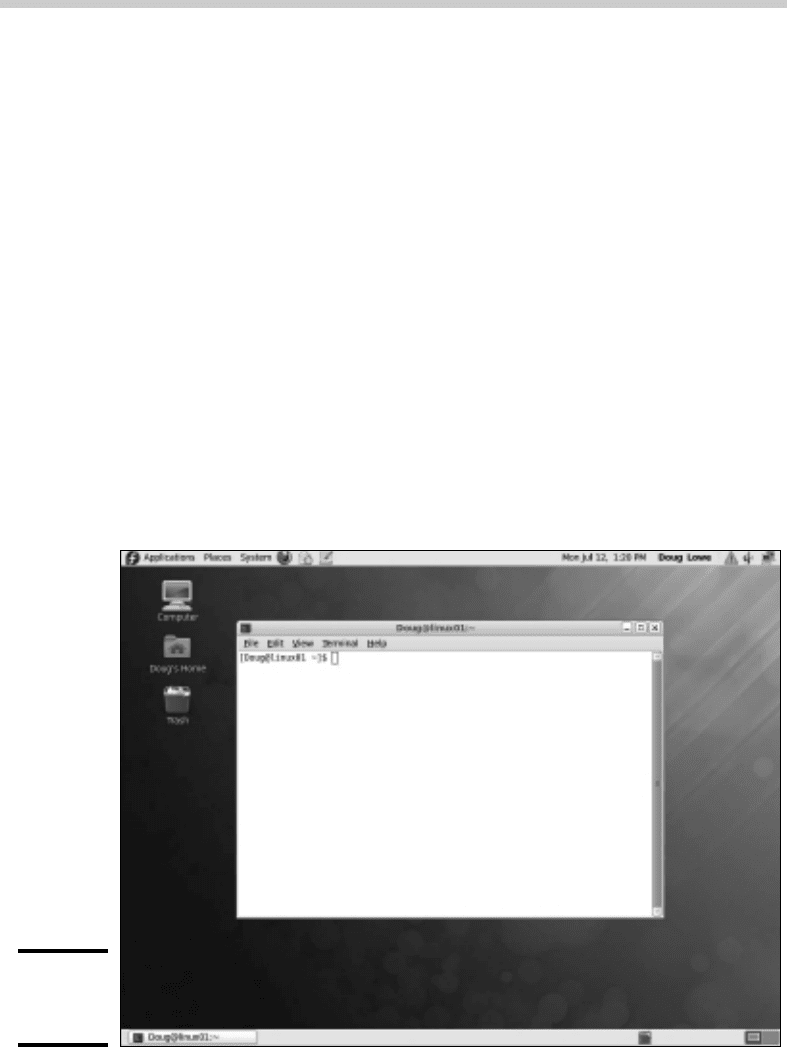
To open a terminal window, choose Applications➪System Tools➪Terminal.
This opens a command shell in a window right on the GNOME desktop, as
shown in Figure 9-1. Because this shell runs within the user account GNOME
is logged on as, you don’t have to log on. You can just start typing com-
mands. When you’re done, type Exit to close the window.
Figure 9-1:
A terminal
window.
71_625873-bk09ch09.indd 76071_625873-bk09ch09.indd 760 9/21/10 10:48 PM9/21/10 10:48 PM

Book IX
Chapter 9
Linux Commands
761
Command Shell Basics
For normal Linux users, the command shell prompt character is a dollar sign
($). If you see a hash mark (#) as the prompt character, it means you’re
logged on as root. Whenever you see a hash prompt, you should be extra
careful about what you do because you can easily get yourself into trouble
by deleting important files or otherwise corrupting the system.
Editing commands
Most of the time, you just type commands using the keyboard. If you make
a mistake, you just type the command again, being careful not to repeat the
mistake. However, Linux shells have several built-in editing features that can
simplify the task of correcting a mistaken command or entering a sequence
of similar commands:
✦ If you want to repeat a command that you’ve used recently, press the
up-arrow key. This action recalls your most recently executed com-
mands. You can press Enter to execute a command as is, or you can edit
the command before you execute it.
✦ The shell has a handy auto-complete feature that can finish partially
spelled directory, file, or command names. Just type part of the name
and then press the Tab key. If you’ve typed enough for the shell to figure
out what you mean, the shell finishes the name for you. Otherwise, it
just beeps, in which case you can type a few more letters and try again.
In some cases, the shell displays a list of items that match what you’ve
typed so far to help you know what to type next.
Wildcards
Wildcards are one of the most powerful features of command shells. With
wildcards, you can process all the files that match a particular naming pat-
tern with a single command. For example, suppose that you have a folder
with 500 files in it, and you want to delete all the files that contain the letters
Y2K and end with .doc, which happens to be 50 files. If you try to do this in
GNOME, you’ll spend ten minutes picking these files out from the list. From a
shell, you can delete them all with the single command rm *Y2K*.doc.
You can use two basic wildcard characters. An asterisk (*) stands for any
number of characters, including zero, while an exclamation mark (!) stands
for just one character. Thus, !Text.doc matches files with names like
aText.doc, xText.doc, and 4Text.doc, but not abcText.doc or just
Text.doc. However, *Text.doc would match any of the names I mentioned.
71_625873-bk09ch09.indd 76171_625873-bk09ch09.indd 761 9/21/10 10:48 PM9/21/10 10:48 PM

762
Command Shell Basics
You can also use brackets to indicate a range of characters to choose
from. For example, report[123] matches the files report1, report2, or
report3. You can also specify report[1-5] to match report1, report2,
report3, report4, or report5. The wildcard r[aeiou]port matches
files named raport, report, riport, roport, or ruport. As you can see,
the possibilities are almost endless.
Redirection and piping
Redirection and piping are related techniques. Redirection lets you specify
an alternative destination for output that will be displayed by a command or
specify an alternative source for input that should be fed into a command.
For example, you can save the results of an ifconfig command to /home/
doug/myconfig like this:
$ ifconfig > /home/doug/myconfig
Here, the greater-than sign (>) is used to redirect the command’s console
output.
If a command accepts input from the keyboard, you can use input redirec-
tion to specify a file that contains the input that you want to feed to the
command. For example, you can create a text file named lookup.commands
with subcommands for a command such as nslookup. Then, you can feed
those scripted subcommands to the nslookup command, like this:
$ nslookup < /home/doug/lookup.commands
Piping is a similar technique. It takes the console output from one command
and feeds it into the next command as input. One of the most common uses
of piping is to send the output of a command that displays a lot of informa-
tion to the more program, which displays the output one page at a time. For
example:
$ ifconfig | more
The vertical bar ( | ) is often called the pipe character because it’s the
symbol used to indicate piping.
Environment variables
The shell makes several environment variables available to commands. You
can use an environment variable anywhere in a command by typing $ (dollar
sign) followed by the environment variable name. For example, this command
$ echo This is $HOSTNAME running on an $HOSTTYPE
71_625873-bk09ch09.indd 76271_625873-bk09ch09.indd 762 9/21/10 10:48 PM9/21/10 10:48 PM

Book IX
Chapter 9
Linux Commands
763
Command Shell Basics
displays a line such as
This is LSERVER running on an i386
Table 9-1 lists some of the more useful environment variables that are avail-
able to you and your commands.
Table 9-1 Environment Variables
Variable Description
HOME
The current user’s home directory.
HOSTNAME
The computer’s host name.
HOSTTYPE
The host computer type.
OSTYPE
The operating system.
PATH
The search order for executable programs.
PROMPT_COMMAND
The command used to generate the prompt.
PWD
The present working directory.
SHELL
The shell being used.
USERNAME
The current username.
Shell scripts
A shell script is simply a text file that contains one or more commands. Shell
scripts are similar to MS-DOS/Windows batch files, but shell scripts can be
much more complex. The simplest shell scripts are just lists of commands,
but advanced shell scripts can include complicated scripting statements
that border on a full-featured programming language.
You can create shell scripts by using any text editor. The easiest text editor
to use is gedit, which you can access from the GNOME desktop by choos-
ing Main Menu➪Accessories➪Text Editor. If you want your friends to think
you’re a Linux guru, however, take a few moments to learn how to use vi, a
powerful text mode editor. To create or edit a file in vi, type the command
vi followed by a filename. Then, type away. To use a vi command, press the
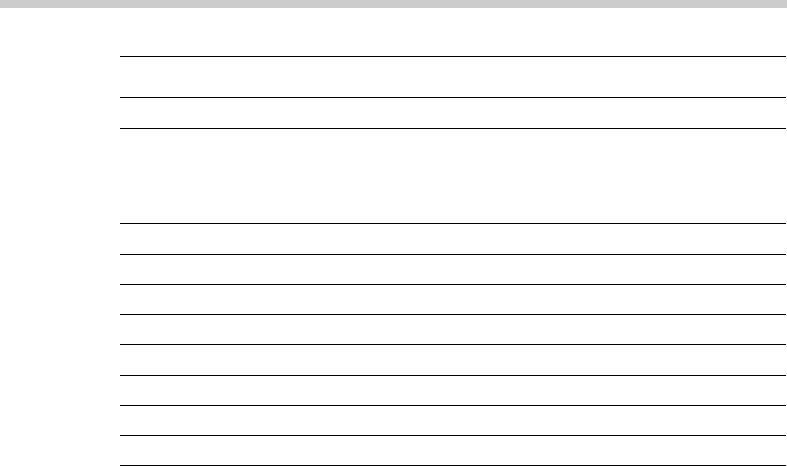
Escape key and then type one of the commands listed in Table 9-2.
71_625873-bk09ch09.indd 76371_625873-bk09ch09.indd 763 9/21/10 10:48 PM9/21/10 10:48 PM
764
Directory and File Handling Commands
Table 9-2 Common vi Commands
Command Explanation
i
Enters insert mode so that you can enter text at the cursor location.
Move the cursor to the point where you want to enter the text first.
When you’re finished inserting text, press Esc to return to com-
mand mode.
:w
Saves the file (w stands for write).
:q
Quit.
:wq
Write and then quit.
:q!
Quit without saving.
/string
Search forward for string.
?string
Search backward for string.
n
Repeat the last search.
u
Undo the previous command.
After you’ve created a shell script, you have to grant yourself execute per-
mission to run the script. For example, to grant yourself permission to run a
script named myscript, use this command:
$ chmod 755 myscript
To run a shell script, you use the sh command and provide the name of the
script file. For example:
$ sh myscript
Directory and File Handling Commands
Because much of Linux administration involves working with configuration
files, you frequently need to use the basic directory and file handling com-
mands presented in this section.
The pwd command
This command displays the current directory, which is called the present
working directory — hence the command name pwd. Here’s the syntax:
pwd
71_625873-bk09ch09.indd 76471_625873-bk09ch09.indd 764 9/21/10 10:48 PM9/21/10 10:48 PM

Book IX
Chapter 9
Linux Commands
765
Directory and File Handling Commands
Enter this command, and you get output similar to the following:
$ pwd
/home/doug
The cd command
The cd command changes the current working directory. The syntax is as
follows:
cd directory
You may want to follow the cd command up with a pwd command to make
sure that you changed to the right directory. For example:
$ cd /etc/mail
$ pwd
/etc/mail
To change to a subdirectory of the current directory, omit the leading slash
from the directory name. For example:
$ pwd
/home
$ cd doug
$ pwd
/home/doug
You can also use the double-dot (..) to represent the parent of the current
directory. Thus, to move up one level, use the command cd .. as follows:
$ pwd
/home/doug
$ cd ..
$ pwd
/home
The mkdir command
To create a new directory, you use the mkdir command. It has the following
syntax:
mkdir directory
Here’s an example that creates a subdirectory named images in the current
directory:
$ mkdir images
71_625873-bk09ch09.indd 76571_625873-bk09ch09.indd 765 9/21/10 10:48 PM9/21/10 10:48 PM

766
Directory and File Handling Commands
This example creates a directory named /home/doug/images:
$ mkdir /home/doug/images
The rmdir command
The rmdir command removes a directory. It has the following syntax:
rmdir directory
Here’s an example:
$ rmdir /home/doug/images
Here, the /home/doug/images directory is deleted. Note that the directory
must be empty to be removed, so you have to first delete any files in the
directory.
The ls command
The ls command lists the contents of the current directory. Here’s the
syntax:
ls [options] directory
The following paragraphs describe the more important options for the ls
command:
✦ -a: Lists all the files in the directory, including files that start with a
period.
✦ -c: Sorts entries by the time the files were last modified.
✦ -d: Lists only directory names.
✦ -l: Displays in long format.
✦ -r: Displays files in reverse order.
✦ -R: Lists the contents of all subdirectories, and subdirectories of subdi-
rectories, and subdirectories of subdirectories of subdirectories . . . in
other words, lists subdirectories recursively.
✦ -s: Displays file sizes.
✦ -S: Sorts files by size.
✦ -t: Sorts files by timestamp.
✦ -u: Sorts files by the time the files were last accessed.
✦ -X: Sorts files by their extensions.
71_625873-bk09ch09.indd 76671_625873-bk09ch09.indd 766 9/21/10 10:48 PM9/21/10 10:48 PM