
Lowe D. Networking For Dummies
Подождите немного. Документ загружается.

Book VIII
Chapter 1
Using Internet
Information System
(IIS)
607
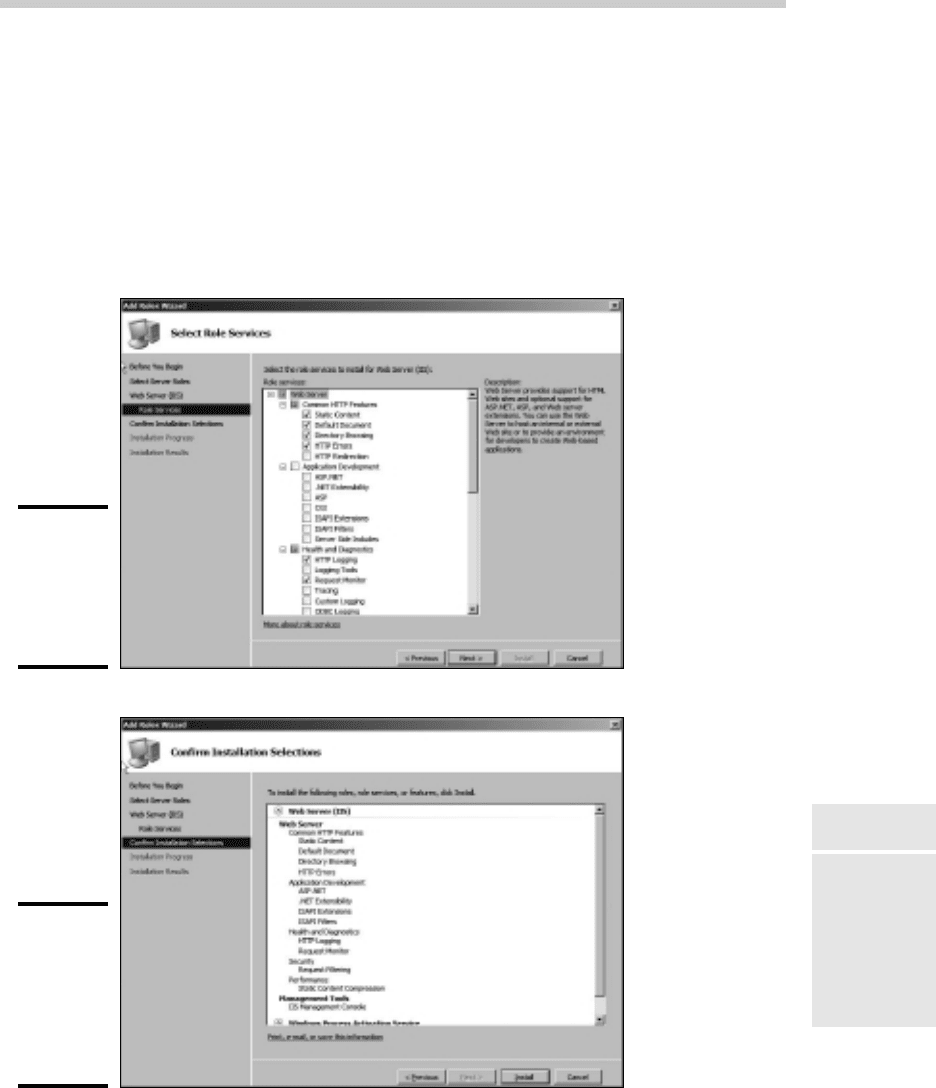
8. Click Next.
The Confirm Installation Selections page appears, as shown in Figure 1-4.
9. Click Install.
The features you selected are installed. This may take a few minutes, so
now would be a good time to take a walk.
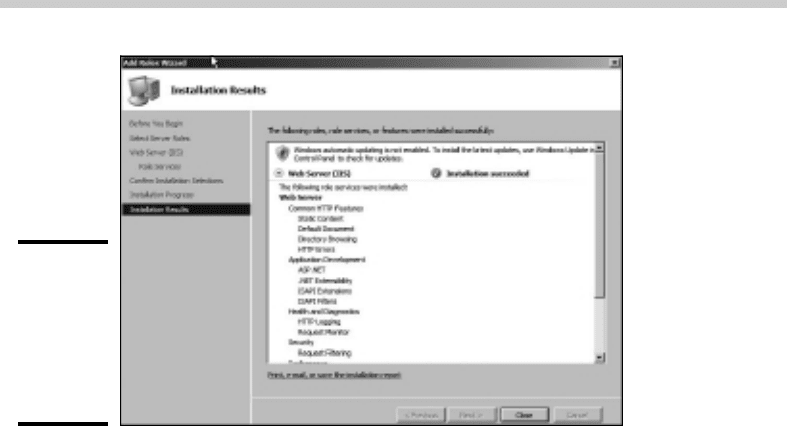
When the installation finishes, the Installation Results page is displayed,
as shown in Figure 1-5.
Figure 1-3:
The Role
Services
page of the
Add Roles
Wizard.
Figure 1-4:
The Confirm
Installation
Selections
page of the
Add Roles
Wizard.
Installing IIS
58_625873-bk08ch01.indd 60758_625873-bk08ch01.indd 607 9/21/10 10:42 PM9/21/10 10:42 PM
608
Figure 1-5:
The
Installation
Results
page of the
Add Roles
Wizard.
10. Click Close.
IIS is now installed and ready to use!
Understanding the Default Web Site
Initially, IIS is configured with a single Web site, called the default Web site.
You can test that IIS is up and running by opening a browser window on the
server and typing localhost in the address bar. You can also reach this page
by entering your local domain name in the address bar. For example, lowe-
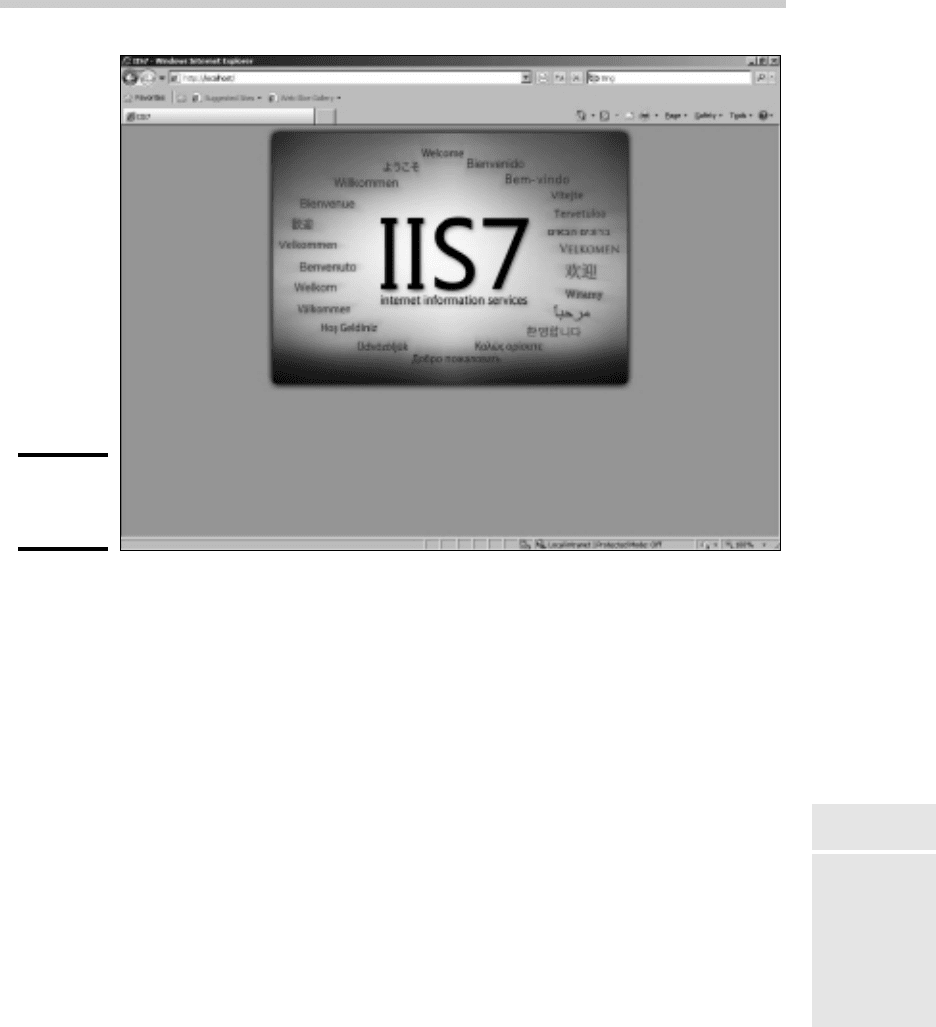
writer.pri. Figure 1-6 shows the standard welcome page that appears when
you browse to the default site.
The actual files that make up the default Web site are stored on the server’s
C: drive in a folder named \inetpub\wwwroot. When you browse to the
default Web site without requesting a specific file (for example, by entering
simply localhost in the address bar), IIS looks for the following files, in this
order:
✦ default.htm
✦ default.asp
✦ index.htm
✦ index.html
✦ iisstart.htm
✦ default.aspx
Understanding the Default Web Site
58_625873-bk08ch01.indd 60858_625873-bk08ch01.indd 608 9/21/10 10:42 PM9/21/10 10:42 PM
Book VIII
Chapter 1
Using Internet
Information System
(IIS)
609
Figure 1-6:
The default
Web site.
Initially, c:\inetpub\wwwroot contains just two files: iisstart.htm and
welcome.png. The iisstart.htm file is the file that’s displayed when you
browse to the Web site; it contains the HTML markup necessary to display
the image contained in the welcome.png file, which is the image you actu-
ally see on the page.
You can preempt the standard page for the default Web site by providing
your own file with one of the preceding names. For example, you can follow
these steps to create a simple default.htm file that displays the words
“Hello World!” as the start page for the default Web site:
1. Open an Explorer window and browse to c:\inetpub\wwwroot.
2. Choose File➪New➪Text Document, type default.htm for the filename,
and press Enter.
3. Right-click the default.htm file you just created and choose Open
With➪Notepad.
4. Enter the following text in the Notepad window:
<HTML>
<BODY>
<H1>Hello World!</H1>
</BODY>
</HTML>
Understanding the Default Web Site
58_625873-bk08ch01.indd 60958_625873-bk08ch01.indd 609 9/21/10 10:42 PM9/21/10 10:42 PM
610
5. Choose File➪Save to save the file, and then choose File➪Exit to quit
Notepad.
6. Open a browser window.
7. Type localhost in the address bar and press Enter.
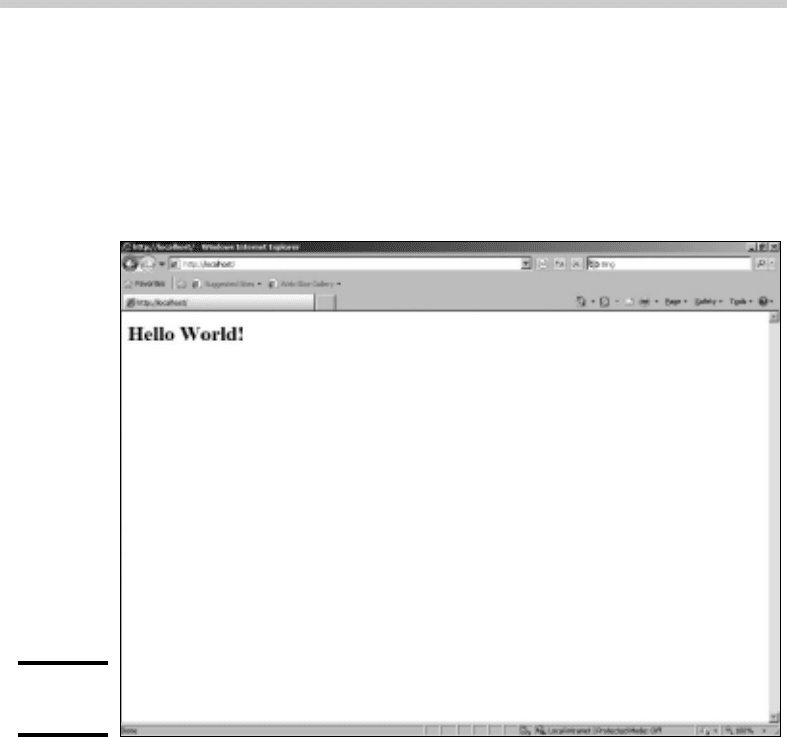
The page shown in Figure 1-7 appears.
Figure 1-7:
Hello world!
Creating Web Sites
IIS has the ability to host multiple Web sites. This is an extremely useful fea-
ture not only for Web servers that host public sites but also for Web servers
that host internal (intranet) sites. For example, you might create a separate
intranet Web site for Human Resources and assign it the Web site name hr.
Then, assuming the domain name is lowewriter.pri, users can browse to
the Web site by using the address hr.lowewriter.pri.
Here are the steps:
1. Using Windows Explorer, create a folder in which you will save the
files for the new Web site.
For this example, I created a folder named c:\HR-Web-Site.
Creating Web Sites
58_625873-bk08ch01.indd 61058_625873-bk08ch01.indd 610 9/21/10 10:42 PM9/21/10 10:42 PM
Book VIII
Chapter 1
Using Internet
Information System
(IIS)
611
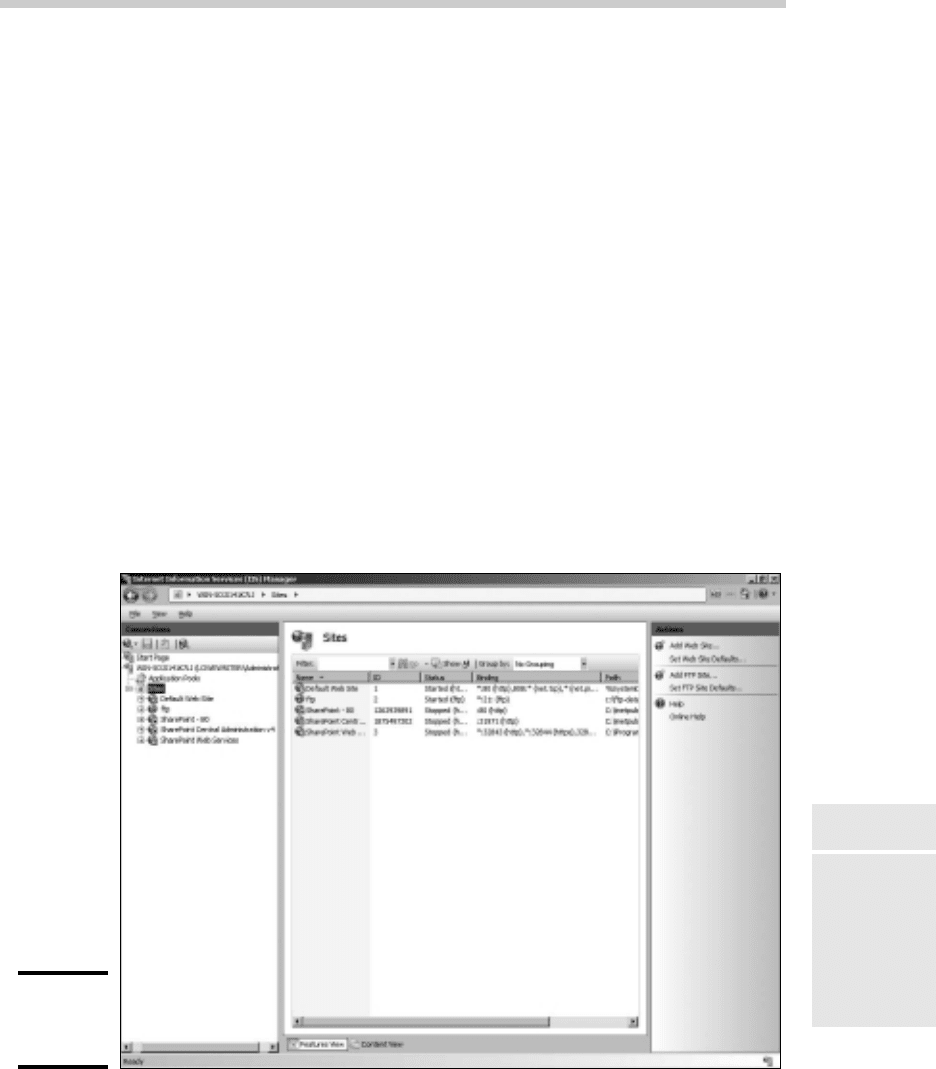
2. Choose Start➪Administrative Tools➪Internet Information Services
(IIS) Manager.
The IIS Manager springs to life, as shown in Figure 1-8.
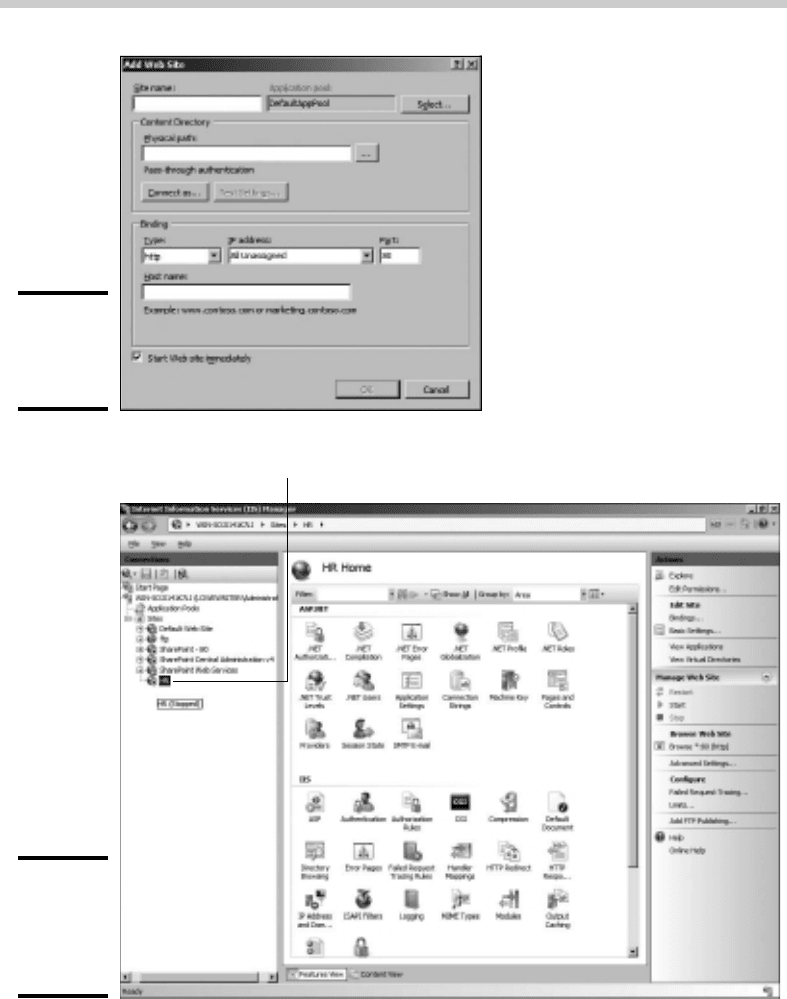
3. Right-click Sites and then choose Add Web Site.
The Add Web Site dialog box appears, as shown in Figure 1-9.
4. Enter a name for the Web site in the Site Name text box.
For this example, I used HR.
5. Click the Browse button, browse to the folder you created in Step 1,
and then click OK.
For this example, I browsed to C:\HR-Web-Site.
6. In the Host Header text box, enter the exact DNS name you want to
use for the site.
For this example, I entered hr.lowewriter.pri.
7. Click OK.
The newly created Web site appears beneath the Sites node in the IIS
Manager, as shown in Figure 1-10.
Figure 1-8:
The IIS
Manager.
Creating Web Sites
58_625873-bk08ch01.indd 61158_625873-bk08ch01.indd 611 9/21/10 10:42 PM9/21/10 10:42 PM
612
Figure 1-9:
The Add
Web Site
dialog box.
Figure 1-10:
The HR Web
site appears
in the IIS
Manager.
The newly created Web site
Creating Web Sites
58_625873-bk08ch01.indd 61258_625873-bk08ch01.indd 612 9/21/10 10:42 PM9/21/10 10:42 PM
Book VIII
Chapter 1
Using Internet
Information System
(IIS)
613
8. Close the IIS Manager.
9. Create a Web page to display in the folder you created in Step 1.
For this example, I used Notepad to create a text file named default.
htm, with the following text:
<HTML>
<BODY>
<H1>Welcome to the HR Web Site!</H1>
</BODY>
</HTML>
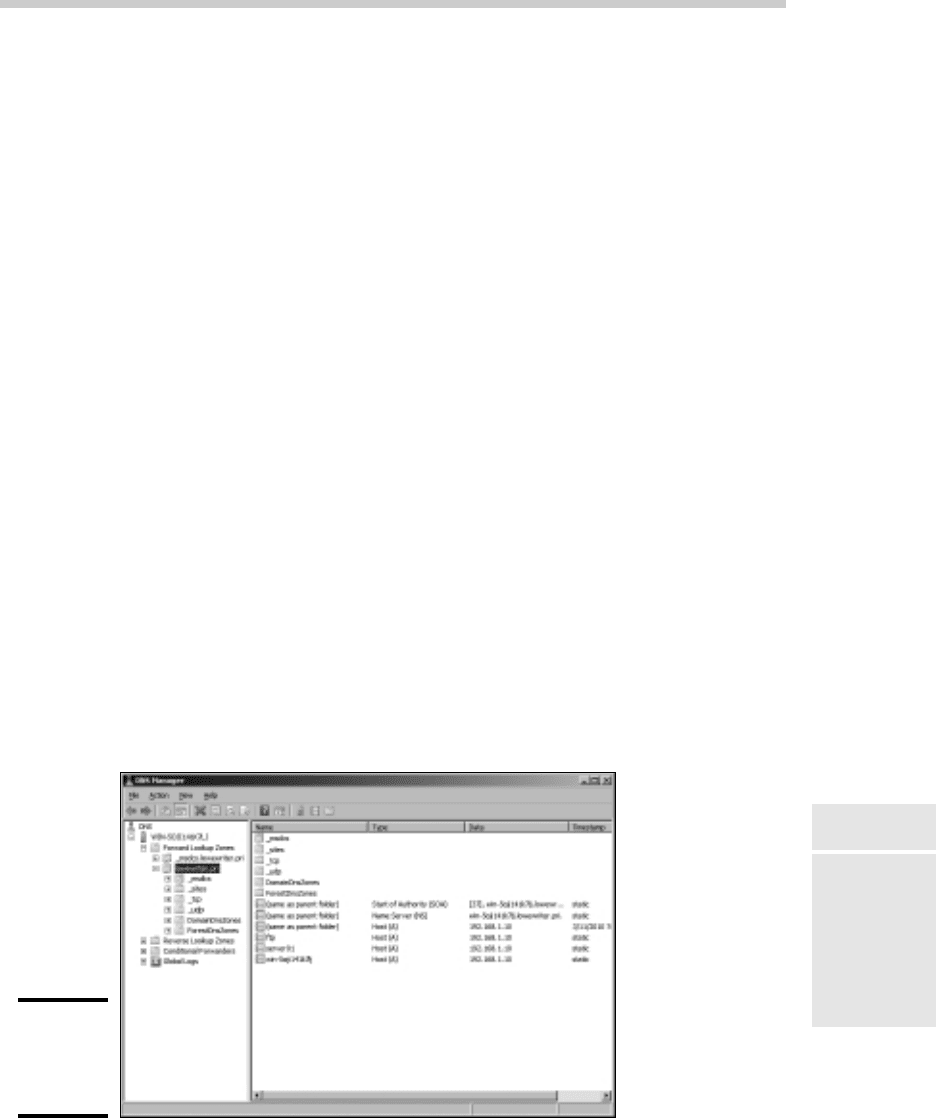
10. Choose Start➪Administrative Tools➪DNS.
This brings up the DNS Manager console, as shown in Figure 1-11.
11. In the navigation pane, navigate to the node for your domain.
In this example, I navigated to lowewriter.pri.
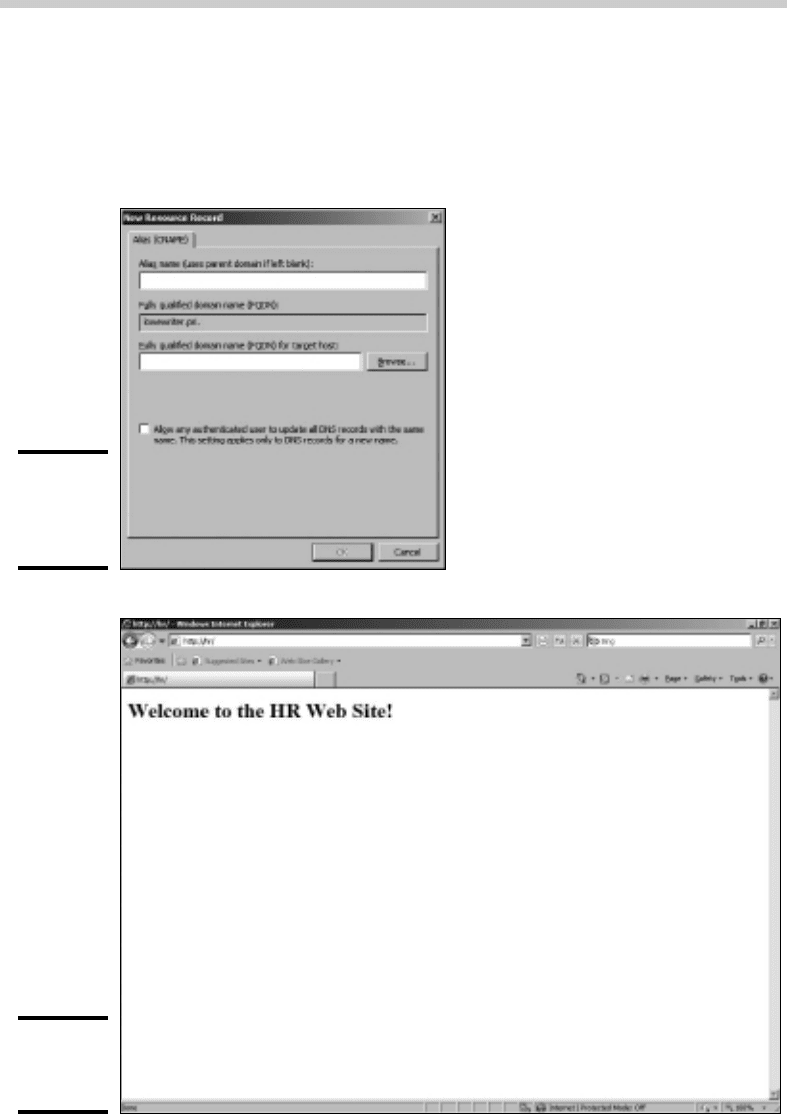
12. Choose Action➪New Alias (CNAME).
The New Resource Record dialog box appears, as shown in Figure 1-12.
13. Enter the alias name you want to use in the Alias Name text box.
For this example, I entered simply hr.
14. Enter the computer name of your Web server in the text box labeled
Fully Qualified Domain Name (FQDN) for Target Host.
For this example, I entered lserver01.
15. Click OK.
The DNS alias is created.
16. Close the DNS Manager console.
Figure 1-11:
The DNS
Manager
console.
Creating Web Sites
58_625873-bk08ch01.indd 61358_625873-bk08ch01.indd 613 9/21/10 10:42 PM9/21/10 10:42 PM
614
17. Open a browser window.
18. Browse to the alias address you just created.
For this example, I browsed to hr.lowewriter.pri. Figure 1-13 shows
the resulting page.
Figure 1-12:
Creating
a CNAME
record.
Figure 1-13:
Viewing a
Web site.
Creating Web Sites
58_625873-bk08ch01.indd 61458_625873-bk08ch01.indd 614 9/21/10 10:42 PM9/21/10 10:42 PM

Chapter 2: Managing Exchange
Server 2010
In This Chapter
✓ Working with the Exchange Server consoles
✓ Managing mailboxes
✓ Granting mailbox access
A
lthough not strictly a part of Windows Server 2008, Exchange Server
2010 is the mail server software that’s used on most Windows net-
works. Yes, I know Microsoft doesn’t call Exchange Server a mail server.
It’s a messaging and collaboration server. But the basic reason for Exchange
Server’s existence is e-mail. The other messaging and collaboration features
are just icing on the cake.
In this chapter, you discover how to perform the most commonly requested
maintenance chores for Exchange Server, such as how to create a new mail-
box, grant a user access to an additional mailbox, and deal with mailbox
size limits.
Creating a Mailbox
In previous versions of Exchange, you created user mailboxes using
Active Directory Users and Computers (ADUC). With Exchange 2010,
however, Microsoft has removed the Exchange management features of
ADUC. So instead, you create and manage user mailboxes using Exchange
Management Console, which you can find on the Start menu under All
Programs➪Microsoft Exchange Server 2010.
The Exchange Management Console lets you create a mailbox for an exist-
ing Active Directory user. Or, you can use Exchange Management Console
to create a new user with a mailbox. Because that’s the most likely case, the
following procedure describes the steps you should follow to create a new
Active Directory user with a mailbox:
1. Choose Start➪Administrative Tools➪Microsoft Exchange Server
2010➪Exchange Management Console.
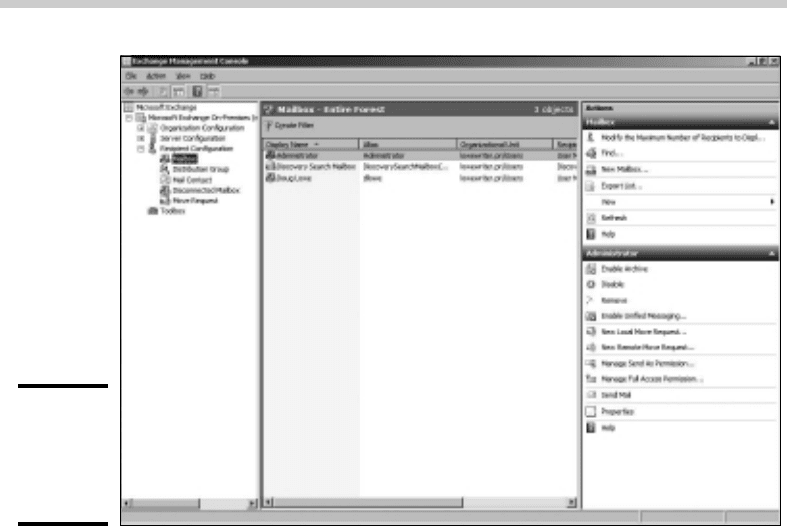
This fires up the Exchange Management Console, as shown in Figure 2-1.
59_625873-bk08ch02.indd 61559_625873-bk08ch02.indd 615 9/21/10 10:42 PM9/21/10 10:42 PM
616
Figure 2-1:
The
Exchange
Management
Console.
2. In the Navigation pane on the left side of the window, navigate to
Microsoft Exchange➪Microsoft Exchange On-Premises➪Recipient
Configuration.
If you have more than one Exchange server, pick the Microsoft Exchange
On-Premises node for the server you want to add the user to.
3. Right-click the Mailbox node in the navigation pane and choose New
Mailbox.
This summons the New Mailbox Wizard, as shown in Figure 2-2. The first
page of the wizard lets you choose from several different types of mail-
box accounts you can create.
4. Choose User Mailbox and then click Next.
This brings up the User Type page, shown in Figure 2-3. The User Type
page lets you indicate whether you want to create a new user account or
add a mailbox for an existing Active Directory user.
5. Select New user and then click Next.
The User Information page is displayed, as shown in Figure 2-4.
Creating a Mailbox
59_625873-bk08ch02.indd 61659_625873-bk08ch02.indd 616 9/21/10 10:42 PM9/21/10 10:42 PM