
Lowe D. Networking For Dummies
Подождите немного. Документ загружается.

Book VII
Chapter 7
Troubleshooting
567
Monitoring Performance
Using the Reliability and Performance Monitor
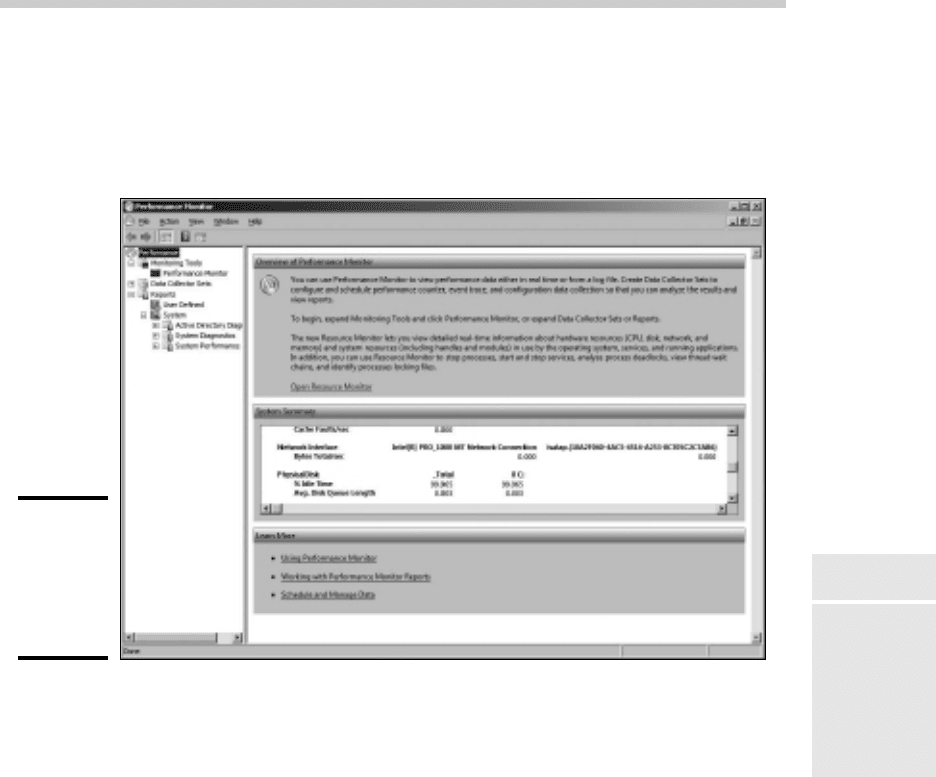
To run the Performance Monitor console, choose Start➪Administrative
Tools➪Performance Monitor. The Performance Monitor comes to life, as
shown in Figure 7-4.
Figure 7-4:
The
Performance
Monitor
overview
page.
The display in Figure 7-4 shows essential performance data for the server,
including memory and network interface utilization, disk access, and so on.
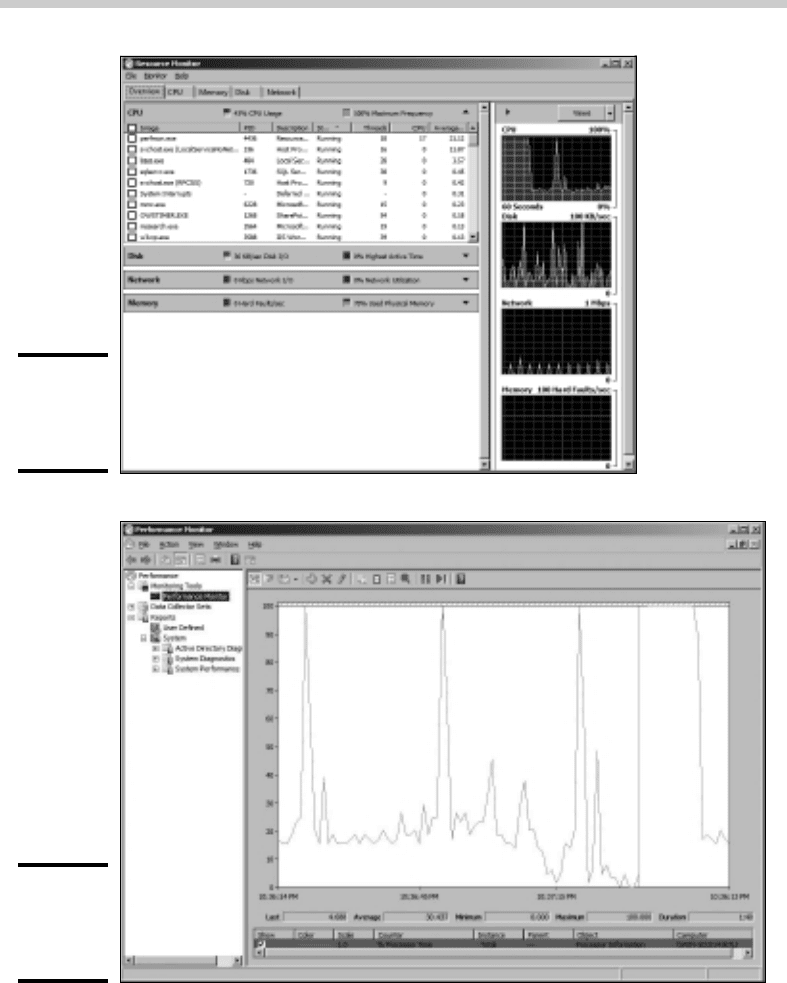
If you want, you can click the Open Resource Monitor link to display the
Resource Monitor, which graphically displays the utilization information as
shown in Figure 7-5. This display resembles something you’d expect to see
in a hospital.
You can summon more specific performance information by clicking
Performance Monitor in the console tree of the Performance Monitor
console. This brings up the Performance Monitor, as shown in Figure 7-6.
55_625873-bk07ch07.indd 56755_625873-bk07ch07.indd 567 9/21/10 10:40 PM9/21/10 10:40 PM
568
Monitoring Performance
Figure 7-5:
The
Resource
Monitor.
Figure 7-6:
The
Performance
Monitor.
The Performance Monitor lets you keep track of several different aspects of
system performance at once. You track each performance aspect by setting
up a counter. You can choose from hundreds of different counters. Table 7-2
describes some of the most commonly used counters. Notice that each counter
refers to a server object, such as physical disk, memory, or the processor.
55_625873-bk07ch07.indd 56855_625873-bk07ch07.indd 568 9/21/10 10:40 PM9/21/10 10:40 PM
Book VII
Chapter 7
Troubleshooting
569
Monitoring Performance
Table 7-2 Commonly Used Performance Counters
Object Counter Description
Physical
Disk
% Free Space The percentage of free space on the server’s
physical disks. It should be at least 15%.
Physical
Disk
Average
Queue Length
The number of disk operations that are waiting
while the disk is busy servicing other disk
operations. It should be two or less.
Memory Pages/second The number of pages retrieved per second
from the virtual memory page files. A typical
value is about 2,500.
Processor % Processor
Time
The percentage of the processor’s time that
it is busy doing work rather than sitting idle. It
should be 85% or less.
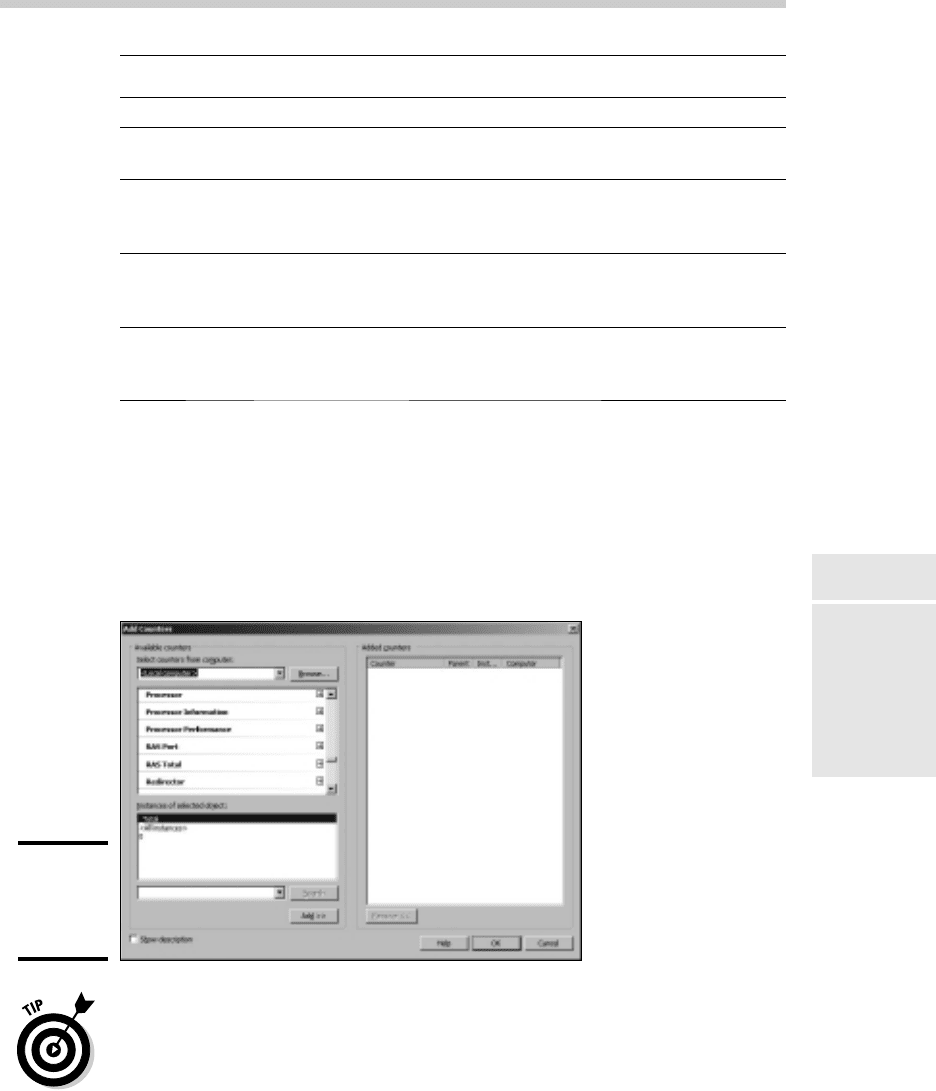
To add a counter, click the Add button to bring up the Add Counters dialog
box, as shown in Figure 7-7. Then select the object that you want to track
from the drop-down list, choose the counter that you want to add from the
list, and click Add. You can add more than one counter from this dialog box;
when you’re finished adding counters, click OK to dismiss the Add Counters
dialog box.
Figure 7-7:
The Add
Counters
dialog box.
The act of gathering performance data slows down your server, so don’t
leave performance logging turned on all the time. Use it only occasionally to
gather baseline data or when you’re experiencing a performance problem.
55_625873-bk07ch07.indd 56955_625873-bk07ch07.indd 569 9/21/10 10:40 PM9/21/10 10:40 PM
570
Monitoring Performance
Creating performance logs
Instead of staring at the Performance Monitor for hours on end waiting for a
performance glitch to occur, you can create a performance log — which in
Windows Server 2008 is called a Data Collector Set. (In Windows Server 2003,
it was called a Performance Log. I guess the intellectuals at Microsoft think
the term “Data Collector Set” is more meaningful than “Performance Log.” I
disagree, but they didn’t ask for my opinion.)
When the network is running well, you can collect data to act as a baseline,
so you’ll know whether performance has slipped. When the network is not
acting well, you can collect data to help isolate the problem.
To set up a performance log, follow these steps:
1. Open the Data Collector Sets node in the console tree, and then right-
click the User Defined node and choose New➪Data Collector Set.
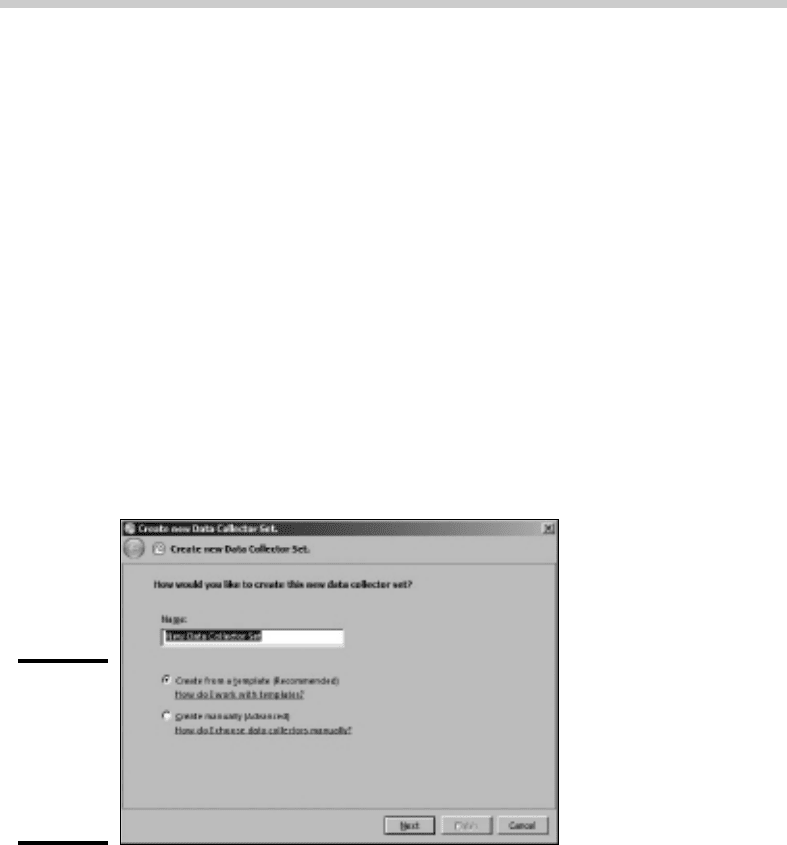
This action brings up a wizard that steps you through the process of
creating a new log, as shown in Figure 7-8.
Figure 7-8:
Creating a
new Data
Collector
Set (er,
Performance
Log).
2. Type a name for your log, choose whether you want to use a pre-
defined template or create your own custom log, and then click Next.
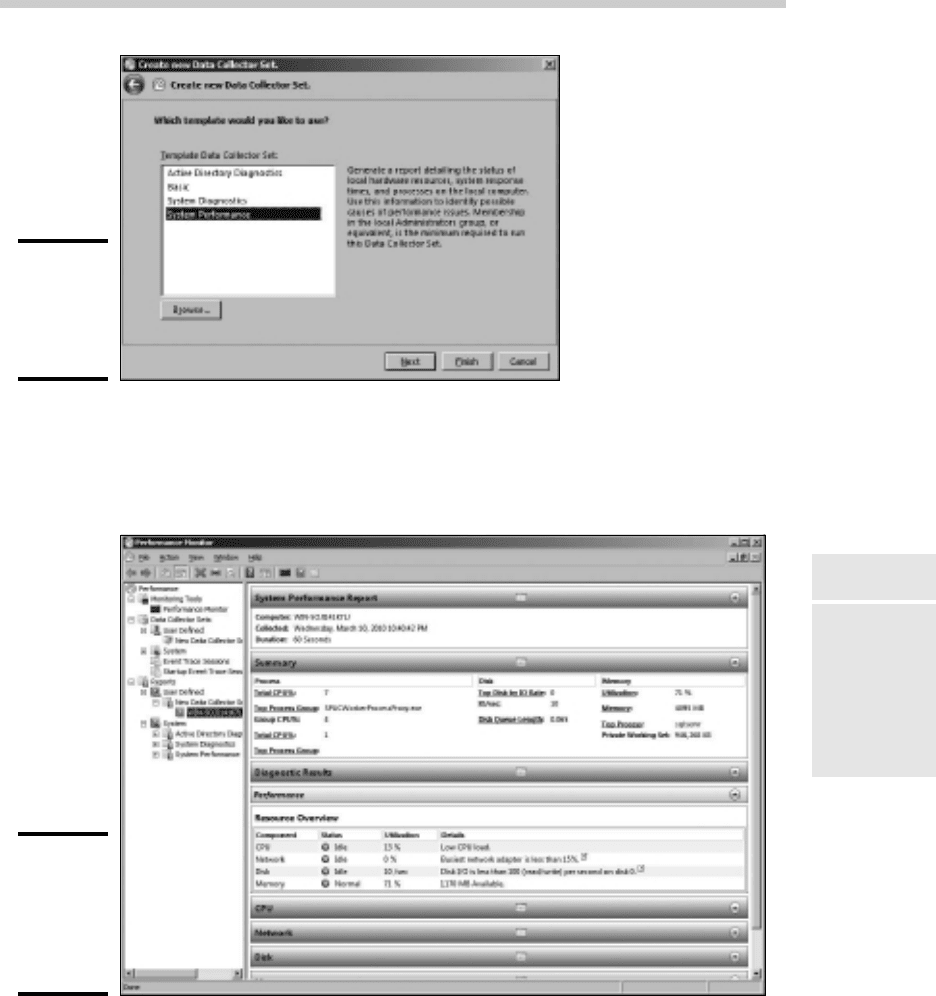
For this example, I use one of the templates. The dialog box shown in
Figure 7-9 lists the available templates.
3. Select System Performance, and then click Finish.
Note that creating the log doesn’t actually start the logging activity. To start
the log, right-click it and choose Start. Alternatively, you can click the big
green Start button in the toolbar. When you want to stop the log, select the
log and click the Stop button or right-click the log and choose Stop.
55_625873-bk07ch07.indd 57055_625873-bk07ch07.indd 570 9/21/10 10:40 PM9/21/10 10:40 PM
Book VII
Chapter 7
Troubleshooting
571
Monitoring Performance
Figure 7-9:
Data
Collector
Set
templates.
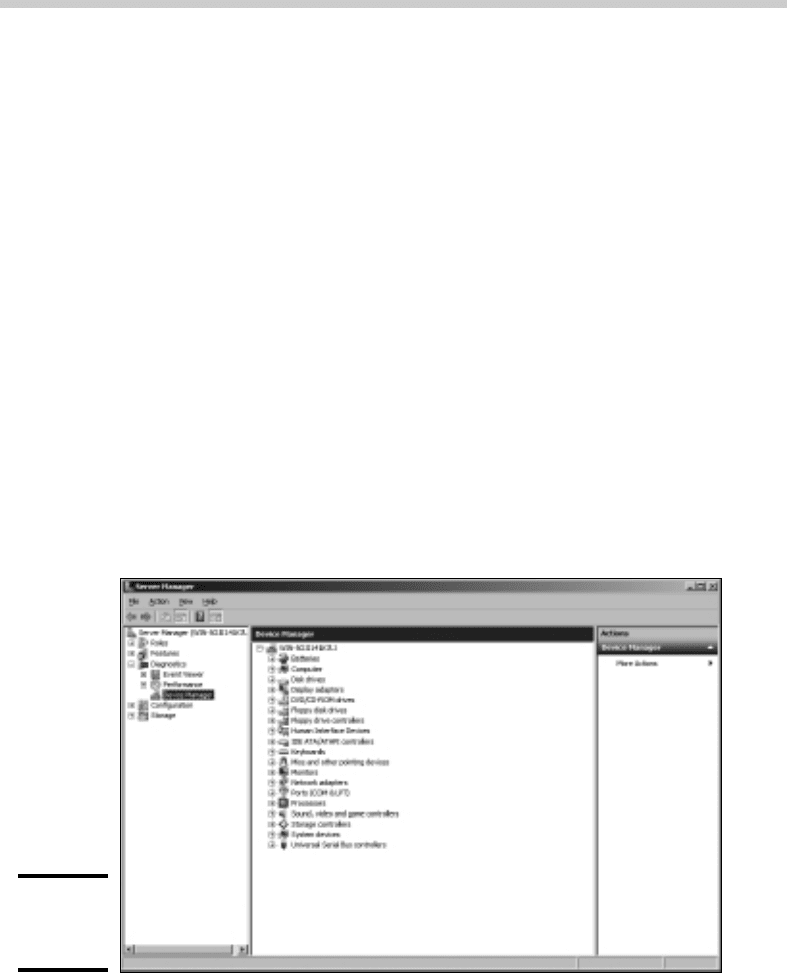
To display the data accumulated by a performance log, right-click the log
and choose Latest Report. A summary of the logged data is displayed, as
shown in Figure 7-10.
Figure 7-10:
Data
collected
by a
performance
log.
55_625873-bk07ch07.indd 57155_625873-bk07ch07.indd 571 9/21/10 10:40 PM9/21/10 10:40 PM
572
Using the Computer Management Console
Using the Computer Management Console
The Start➪Administrative Tools➪Computer Management command leads
you to the Computer Management console, which is a tool that’s often useful
when tracking down problems in a Windows Server 2008 system. Poke
around the console tree in Computer Management and you’ll find
✦ Event Viewer: Refer to the section “Using the Event Viewer,” earlier in
this chapter, for more information.
✦ Shared Folders: Here, you can manage your shared folders, current
sessions, and open files. For more information, see Chapter 4 of this
minibook.
✦ Performance Logs and Alerts: Refer to the section “Using the Reliability
and Performance Monitor,” earlier in this chapter, for more information.
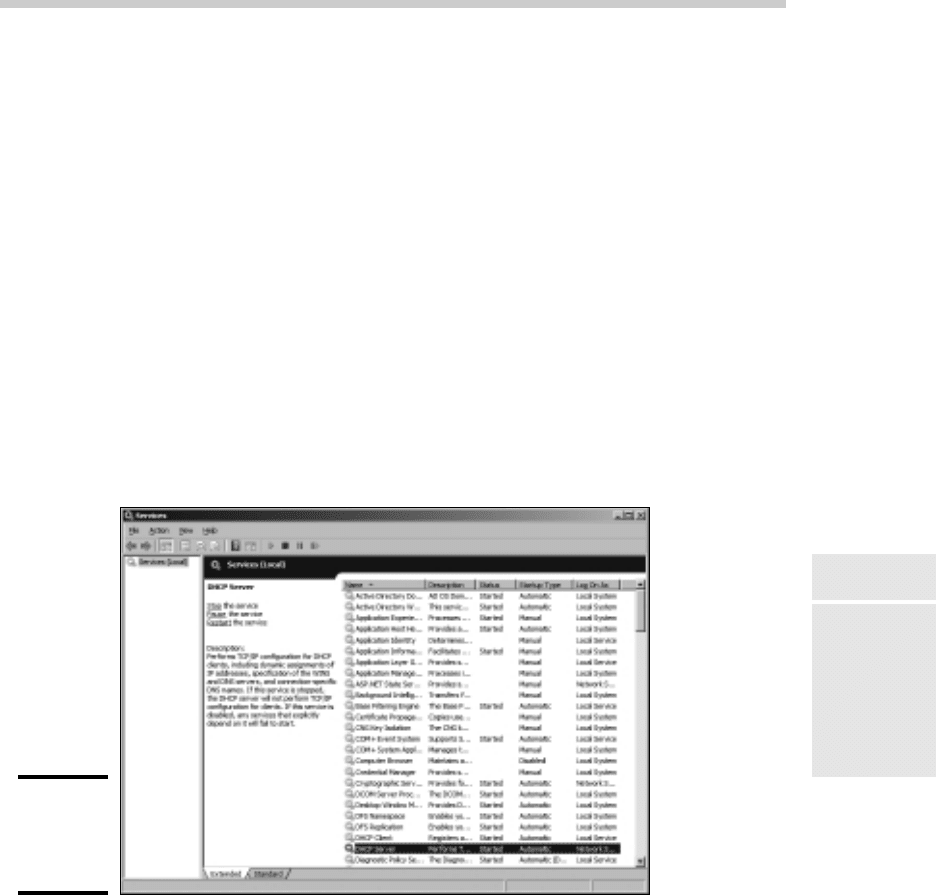
✦ Device Manager: This is a handy tool for diagnosing problems with
hardware devices. Device Manager lists all the hardware devices currently
installed on the computer, as shown in Figure 7-11. You can double-click
a device to bring up a Properties dialog box that displays information
about the status of the device and lets you change drivers or configuration
settings.
Figure 7-11:
The Device
Manager.
55_625873-bk07ch07.indd 57255_625873-bk07ch07.indd 572 9/21/10 10:40 PM9/21/10 10:40 PM
Book VII
Chapter 7
Troubleshooting
573
Working with Services
✦ Removable Storage: This lets you track removable storage media, such
as tapes and CDs, and manage tape and CD libraries.
✦ Disk Defragmenter: This tool lets you optimize the way data is stored
on your disks.
✦ Disk Management: This tool lets you work with disk partitions, format
disks, create mirror sets, and perform other disk operations.
✦ Services and Applications: Here, you can manage services and
applications that you’ve installed on the computer, such as DHCP, DNS,
IIS, and so on.
Working with Services
The last troubleshooting tool I want to describe in this chapter is the
Services console, which you can access by choosing Start➪Administrative
Tools➪Services. As Figure 7-12 shows, the Services console displays a list of
all the services that are currently running on your system.
Figure 7-12:
The
Services
console.
55_625873-bk07ch07.indd 57355_625873-bk07ch07.indd 573 9/21/10 10:40 PM9/21/10 10:40 PM

574
Working with Services
If a Windows server feature isn’t working properly, the problem is often that
something has caused one of the services associated with the feature to
stop. You can often correct the problem by calling up the Services console
and restarting the service. To do that, just select the service and then click
the Start the Service link.
Of course, this action doesn’t correct the underlying cause of the problem.
If the service stopped because of a one-time error, simply restarting the service
may be all that you need to do. In many cases, though, the problem that
caused the service to start will resurface and cause the service to stop again.
So, if you fix a problem by restarting a service, you must keep an eye out
for the problem’s resurgence. Usually, if the problem doesn’t recur within a
few days, you can safely assume that you encountered a one-time glitch and
fixed it by restarting the service. But if the problem happens again, you’ll
need to investigate more to get to the bottom of the problem.
55_625873-bk07ch07.indd 57455_625873-bk07ch07.indd 574 9/21/10 10:40 PM9/21/10 10:40 PM

Chapter 8: Windows Commands
In This Chapter
✓ Getting started with a command window
✓ Taking advantage of command tricks and techniques
✓ Looking at batch files
✓ Using the amazing Net commands
A
lthough Windows sports a fancy graphical interface that makes it
possible to perform most network management tasks by pointing and
clicking, you can also do almost any network management task from a
command prompt. Whether you choose to do so is largely a matter of personal
style. Some network administrators pride themselves in being able to type
Windows commands blindfolded and with two fingers from each hand tied
behind their backs. Others have fully embraced the graphical user interface
and think the command line is for administrators with Unix envy.
So the choice is yours. Skip this chapter if the thought of typing commands
causes you to lose sleep. If you’re willing to venture forth, this chapter
begins with an overview of working from the command prompt. Then, it
describes some of the more useful Windows commands. Finally, this
chapter introduces the fine (and almost lost) art of writing batch files.
Windows Server 2008 includes a brand-new command environment known
as PowerShell. PowerShell is an advanced command processor that has
many sophisticated features that are designed especially for creating
powerful scripts. For more information, see Microsoft’s PowerShell site at
www.microsoft.com/powershell.
Using a Command Window
Command prompts are even older than video monitors. The first computer I
worked on used a teletype machine as its terminal, so the command prompt
was printed on paper rather than displayed onscreen. Surprisingly, though,
the concept of the command prompt hasn’t changed much since those days.
The system displays a prompt to let you know it’s waiting for a command.
When you type the command and press the Enter key, the system reads
your command, interprets it, executes it, displays the results, and then
displays the prompt again so that you can enter another command.
56_625873-bk07ch08.indd 57556_625873-bk07ch08.indd 575 9/21/10 10:41 PM9/21/10 10:41 PM
576
Using a Command Window
Opening and closing a command window
To get to a command prompt on a Windows server, follow these steps:
1. Choose Start➪Run.
The Run dialog box appears.
2. Type cmd.
The name of the command processor for Windows NT and Windows
Server is cmd.exe.
If you type Command instead, you get Command.com, the old MS-DOS
command processor, which is considerably less powerful than cmd.exe.
3. Click OK.
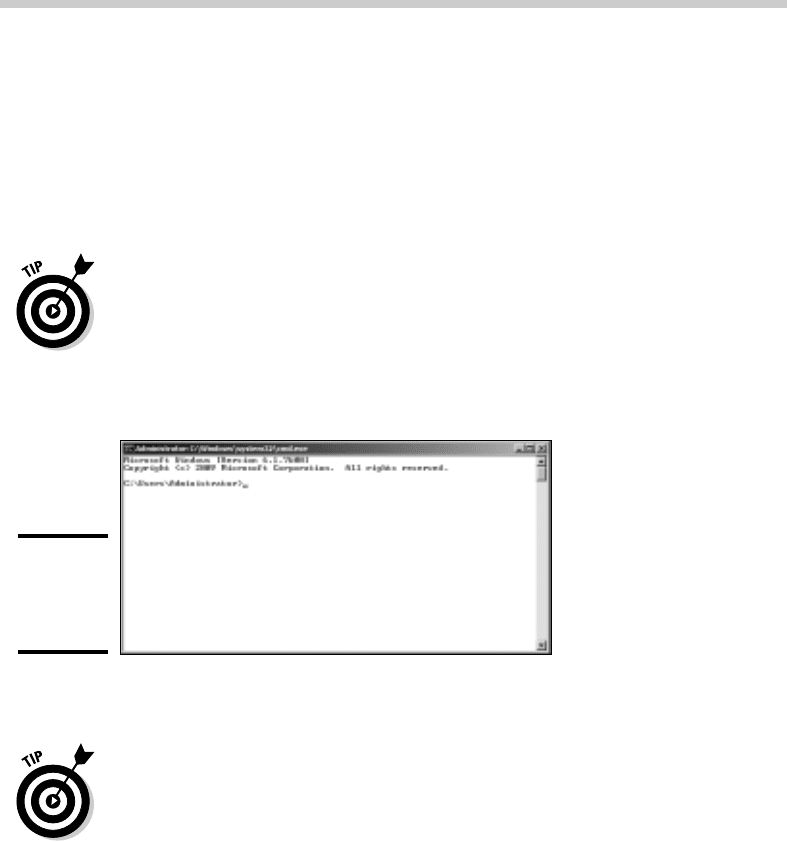
The command prompt window appears, as shown in Figure 8-1.
Figure 8-1:
The
command
prompt.
You can now type any commands that you want in the window.
To exit the command prompt, type Exit and press Enter. This properly
terminates cmd.exe and closes the command prompt window. If you try to
close the command prompt window by clicking its Close button, Windows is
forced to shut down cmd.exe. The process will work, but you’ll have to click
your way through an intervening dialog box and wait a few seconds while
Windows terminates cmd.exe. Entering the Exit command is a much faster
method.
Editing commands
Most of the time, you just type commands by using the keyboard. If you
make a mistake, you just retype the command, being careful not to repeat
the mistake. However, cmd.exe has several built-in editing features that can
simplify the task of correcting a mistaken command or entering a sequence
of similar commands:
56_625873-bk07ch08.indd 57656_625873-bk07ch08.indd 576 9/21/10 10:41 PM9/21/10 10:41 PM